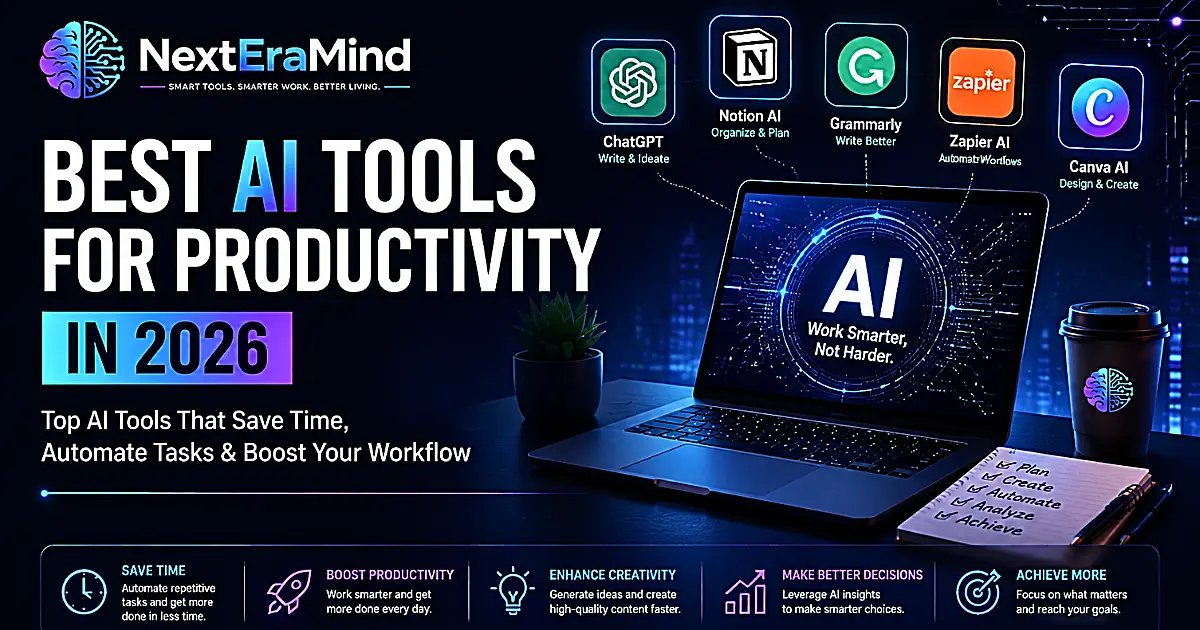
Artificial intelligence is changing the way people work, create, and manage their daily tasks. What once required hours of manual effort can now be completed faster with the help of intelligent AI assistants.
From writing emails and creating content to organizing projects and automating repetitive workflows, AI productivity tools are becoming valuable assistants for professionals, entrepreneurs, creators, students, and businesses.
However, the real purpose of AI is not simply to complete more tasks. The biggest advantage comes from using AI to remove repetitive work, improve decision-making, and create more time for activities that require human creativity and judgment.
In 2026, AI productivity tools have become more powerful, accessible, and specialized. Whether you want to write better content, manage projects, automate everyday tasks, or improve your creative process, there is an AI solution designed to support your workflow.
But with hundreds of tools available, choosing the right one can feel overwhelming.
In this complete guide, we will explore the best AI productivity tools in 2026, what they do, who they are best suited for, and how you can combine them to create a smarter and more efficient work system.
Best AI Productivity Tools in 2026: Quick Comparison
Before looking at each tool in detail, here is a quick overview of some of the most useful AI productivity tools available today.
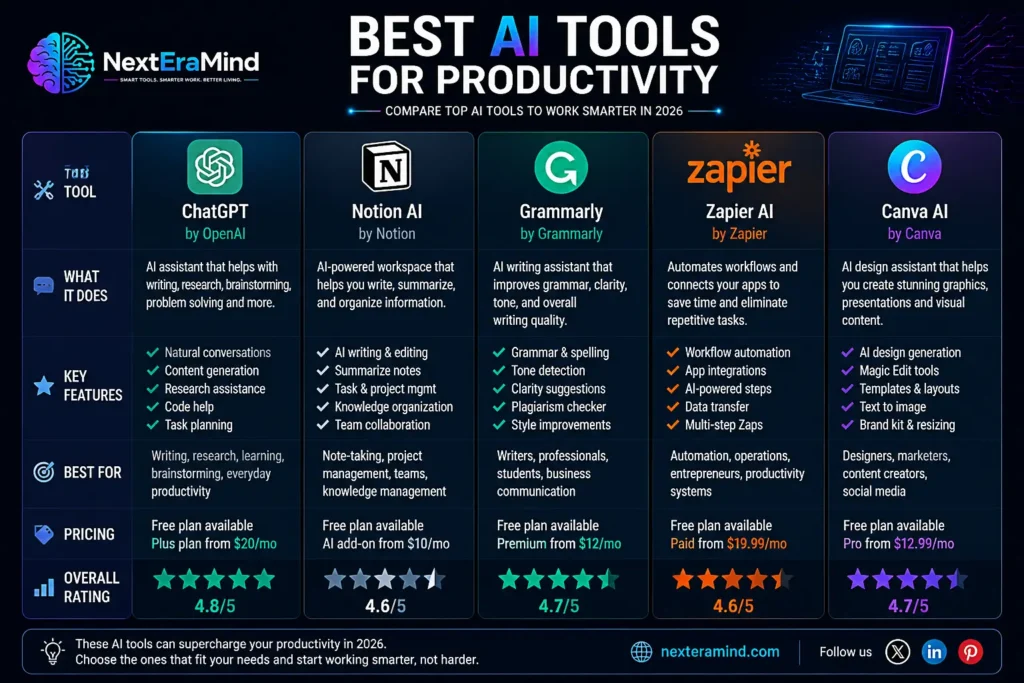
| AI Tool | Best For | Main Uses |
|---|---|---|
| ChatGPT | General AI assistance | Writing, research, brainstorming, planning |
| Notion AI | Organization | Notes, documents, project management |
| Grammarly | Writing improvement | Grammar, tone, professional communication |
| Zapier AI | Automation | Connecting apps and creating workflows |
| Canva AI | Design creation | Images, presentations, marketing content |
| Google Gemini | AI assistance | Research and productivity tasks |
| Claude | Writing and analysis | Long documents and detailed responses |
| Perplexity AI | Research | Finding and summarizing information |
The best AI tool depends on your specific needs. A content creator may need writing and design tools, while a business owner may benefit more from automation and organization platforms.
What Are AI Productivity Tools?
AI productivity tools are applications that use artificial intelligence to help users complete tasks more efficiently.
Unlike traditional software that follows fixed commands, modern AI tools can understand information, generate content, analyze data, and provide useful suggestions.
For example, instead of spending an hour creating a first draft of an article, an AI assistant can help generate ideas, organize the structure, and create an initial version that you can improve.
AI productivity tools are not designed to replace human skills. Instead, they work as assistants that help people complete tasks faster and focus on more important activities.
Common Types of AI Productivity Tools
AI Writing Assistants
Writing assistants help users create, edit, and improve written content.
They can help with:
- Blog articles
- Emails
- Reports
- Social media posts
- Marketing content
- Professional documents
Examples:
- ChatGPT
- Grammarly
- Claude
AI Organization and Planning Tools
Organization tools help users manage information, projects, and ideas.
They can:
- Summarize notes
- Create task lists
- Organize documents
- Manage projects
- Improve collaboration
Examples:
- Notion AI
- ClickUp AI
AI Automation Tools
Automation tools reduce repetitive work by connecting different applications and creating smart workflows.
Examples:
- Automatically creating tasks from emails
- Updating spreadsheets
- Sending notifications
- Moving information between apps
Examples:
- Zapier AI
- Make
AI Design and Creative Tools
Creative AI tools help users create professional visual content without advanced design experience.
They can generate:
- Images
- Presentations
- Social media graphics
- Marketing materials
Examples:
- Canva AI
- Adobe Firefly
Why Use AI Tools for Productivity?
AI productivity tools are becoming popular because they solve a simple problem: people have more information and responsibilities than ever before.
Instead of spending most of the day handling repetitive tasks, AI allows users to work more efficiently.
1. Save Time on Repetitive Tasks
Many everyday tasks take time but do not always require creativity.
Examples include:
- Writing routine emails
- Summarizing long documents
- Organizing information
- Creating basic reports
- Formatting content
AI tools can handle these initial steps, allowing users to spend more time on strategic and creative work.
For example, a marketer can use AI to create content ideas, while a business owner can use AI to summarize reports and prepare important information faster.
To learn more about practical ways AI can improve everyday efficiency, check out our guide on How AI Productivity Tools Can Save Time and Improve Your Daily Workflow.
2. Improve the Quality of Work
AI tools can help users produce better results by providing suggestions and identifying mistakes.
They can:
- Improve writing clarity
- Suggest better wording
- Analyze information
- Generate new ideas
- Help with decision-making
The best results happen when AI supports human expertise rather than replacing it.
3. Increase Creativity
Many people think of AI only as an automation tool, but it can also become a creative partner.
Creators use AI to:
- Brainstorm ideas
- Develop concepts
- Create visual designs
- Explore different approaches
- Overcome creative blocks
AI can help transform an early idea into a finished project faster.
Best AI Productivity Tools in 2026 (Detailed Reviews)
1. ChatGPT—Best Overall AI Productivity Assistant
OpenAI’s ChatGPT has become one of the most widely used AI assistants for everyday productivity.
Unlike single-purpose tools, ChatGPT can support many different tasks from one place. It can help users write content, analyze information, generate ideas, plan projects, and solve problems.
For many professionals and creators, ChatGPT works like a flexible digital assistant that adapts to different workflows.
Key Features
ChatGPT can help with:
- Writing and editing content
- Brainstorming ideas
- Creating plans and strategies
- Summarizing information
- Explaining complex topics
- Analyzing documents and data
- Generating ideas for projects
Practical Examples
A content creator can use ChatGPT to:
- Generate article ideas
- Create an outline
- Improve writing
- Develop social media posts
A business owner can use it to:
- Draft emails
- Prepare meeting summaries
- Create business plans
- Analyze customer feedback
Best For
✅ Content creators
✅ Entrepreneurs
✅ Students
✅ Professionals
✅ Anyone looking for a general AI assistant
Why Use ChatGPT?
The biggest advantage of ChatGPT is flexibility. Instead of using separate tools for brainstorming, writing, research, and planning, users can complete many tasks within one AI workspace.
2. Notion AI — Best AI Workspace for Organization
Notion combines notes, databases, project management, and collaboration tools into one workspace.
With Notion AI, users can organize information faster and turn scattered ideas into structured content.
It is especially useful for people who manage multiple projects or need a central place to store knowledge.
Key Features
Notion AI can:
- Summarize notes
- Create task lists
- Generate ideas
- Improve documents
- Organize information
- Help plan projects
Practical Examples
A blogger can use Notion AI to:
- Create a content calendar
- Store article ideas
- Organize research
- Track publishing schedules
A team can use it to:
- Manage projects
- Document processes
- Share information
Best For
✅ Writers
✅ Teams
✅ Project managers
✅ Entrepreneurs
✅ Knowledge workers
Why Use Notion AI?
Notion AI is valuable because it combines organization and artificial intelligence in one place. Instead of keeping notes in one app and managing tasks in another, users can build a complete productivity system.
3. Grammarly — Best AI Writing Assistant
Grammarly helps users improve their writing by providing grammar corrections, style suggestions, and tone improvements.
While traditional grammar checkers only identify mistakes, modern AI writing assistants can help make communication clearer and more effective.
Key Features
Grammarly helps with:
- Grammar correction
- Sentence improvement
- Tone suggestions
- Writing clarity
- Professional communication
Practical Examples
Professionals can use Grammarly for:
- Business emails
- Reports
- Presentations
- Client communication
Content creators can use it to:
- Improve blog articles
- Make writing easier to read
- Maintain a consistent style
Best For
✅ Writers
✅ Marketers
✅ Students
✅ Business professionals
Why Use Grammarly?
Even strong writers can miss small mistakes. Grammarly acts as an editing partner that helps make written communication more polished and professional.
4. Zapier AI — Best AI Tool for Automation
Zapier helps users automate repetitive tasks by connecting different apps and services.
Instead of manually moving information between tools, Zapier can create automated workflows that run in the background.
Key Features
Zapier AI can help automate:
- Data transfers
- Task creation
- Notifications
- Email workflows
- Business processes
Practical Examples
A business owner can create a workflow that:
- Saves email attachments automatically
- Creates tasks from customer messages
- Updates spreadsheets
A content creator can:
- Save content ideas automatically
- Organize publishing tasks
- Connect marketing tools
Best For
✅ Entrepreneurs
✅ Businesses
✅ Marketers
✅ Productivity-focused users
Why Use Zapier AI?
Automation is where AI creates some of the biggest productivity gains. By removing repetitive tasks, users can spend more time on work that requires creativity and decision-making.
5. Canva AI — Best AI Tool for Design and Visual Content
Canva has added AI features that make creating professional designs faster and easier.
Users no longer need advanced design skills to create attractive graphics, presentations, and marketing materials.
Key Features
Canva AI can help create:
- Social media graphics
- Presentations
- Marketing materials
- Images
- Design ideas
Practical Examples
A blogger can use Canva AI to create:
- Article illustrations
- Pinterest graphics
- Social media posts
A business can use it for:
- Advertisements
- Brand materials
- Presentations
Best For
✅ Content creators
✅ Bloggers
✅ Small businesses
✅ Marketers
Why Use Canva AI?
Visual content is essential online. Canva AI helps users create professional-looking designs quickly without needing years of design experience.
6. Google Gemini — Best AI Assistant for Google Workspace Users
Google Gemini is Google’s AI assistant designed to help users search, create content, analyze information, and improve productivity across Google’s ecosystem.
For people who already use tools like Gmail, Google Docs, Google Drive, and Google Sheets, Gemini can be a useful addition to their daily workflow.
Key Features
Google Gemini can help with:
- Writing and editing content
- Summarizing documents
- Brainstorming ideas
- Research assistance
- Creating plans and outlines
- Analyzing information
Practical Examples
A professional can use Gemini to:
- Draft emails faster
- Summarize long documents
- Prepare presentations
- Organize information from Google Workspace
A student can use it to:
- Understand difficult topics
- Create study notes
- Research information
- Improve learning efficiency
Best For
✅ Google Workspace users
✅ Professionals
✅ Students
✅ Researchers
✅ Teams using Google’s ecosystem
Why Use Google Gemini?
The main advantage of Gemini is its integration with Google’s products. For users who already work inside Google’s ecosystem, having AI assistance built into familiar tools can make everyday tasks more efficient.
7. Claude—Best AI Tool for Long-Form Writing and Analysis
Anthropic Claude is an AI assistant known for handling long documents, detailed analysis, and thoughtful written responses.
It is especially useful for users who need help working with large amounts of information.
Key Features
Claude can help with:
- Writing long-form content
- Summarizing documents
- Analyzing text
- Brainstorming ideas
- Reviewing information
Practical Examples
A writer can use Claude to:
- Analyze research materials
- Improve article drafts
- Develop detailed outlines
A business professional can use it to:
- Review documents
- Summarize reports
- Extract important information
Best For
✅ Writers
✅ Researchers
✅ Professionals
✅ People working with long documents
Why Use Claude?
Claude is valuable when the task requires deeper analysis and careful handling of large amounts of text.
8. Perplexity AI — Best AI Tool for Research
Perplexity AI combines artificial intelligence with search capabilities to help users find and understand information faster.
Unlike traditional search engines that provide a list of links, Perplexity provides direct answers with sources that users can explore.
Key Features
Perplexity can help with:
- Research
- Finding information quickly
- Summarizing topics
- Comparing options
- Exploring new subjects
Practical Examples
A blogger can use Perplexity to:
- Research article topics
- Find recent information
- Discover useful sources
A professional can use it to:
- Learn about industries
- Research competitors
- Understand complex topics
Best For
✅ Researchers
✅ Writers
✅ Students
✅ Professionals
Why Use Perplexity AI?
Research is often one of the most time-consuming parts of any project. Perplexity helps reduce the time needed to gather and understand information.
How to Build an AI Productivity Workflow
Using individual AI tools is useful, but the biggest productivity improvements come from combining different tools into a complete workflow.
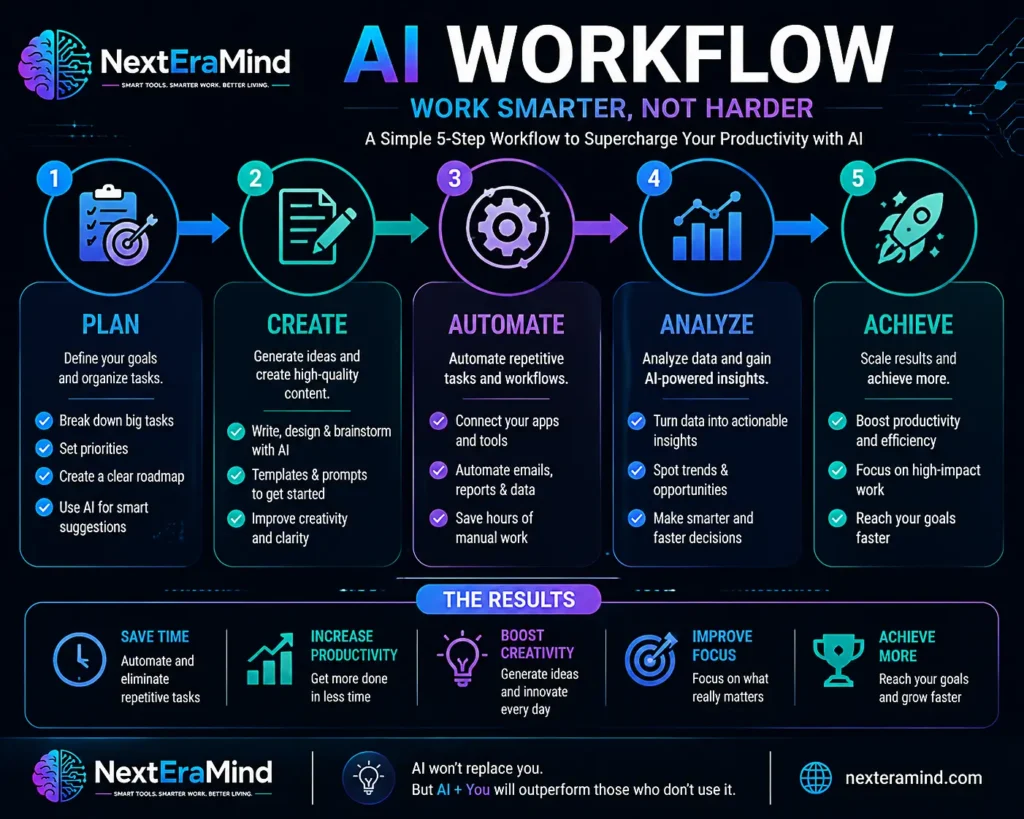
A simple AI-powered workflow could look like this:
Step 1: Plan Your Work
Start by organizing your ideas and goals.
AI can help you:
- Create project plans
- Break large tasks into smaller steps
- Generate ideas
- Set priorities
Recommended tools:
- ChatGPT
- Notion AI
- Gemini
Step 2: Create Content
Once your plan is ready, AI can help turn ideas into content.
Examples:
- Articles
- Presentations
- Reports
- Marketing materials
Recommended tools:
- ChatGPT
- Claude
- Canva AI
- Grammarly
Step 3: Automate Repetitive Tasks
Automation allows you to reduce manual work.
Examples:
- Moving information between apps
- Creating automatic reminders
- Organizing customer data
- Managing workflows
Recommended tools:
- Zapier AI
- Make
Step 4: Analyze and Improve
AI can help you understand information and improve your results.
Examples:
- Summarizing feedback
- Finding patterns
- Improving writing
- Making better decisions
Recommended tools:
- ChatGPT
- Gemini
- Perplexity AI
Best AI Tool Combinations for Different Users
Different people need different AI setups. Instead of using every tool available, choose the ones that solve your specific problems.
For Content Creators and Bloggers
Recommended AI stack:
ChatGPT + Grammarly + Canva AI + Perplexity AI
Use this combination to:
- Find content ideas
- Research topics
- Write articles
- Improve editing
- Create visuals
For Entrepreneurs and Business Owners
Recommended AI stack:
ChatGPT + Notion AI + Zapier AI + Canva AI
Use this combination to:
- Plan projects
- Automate workflows
- Create marketing content
- Organize business information
For Students
Recommended AI stack:
ChatGPT + Gemini + Notion AI
Use these tools to:
- Understand concepts
- Create study notes
- Organize assignments
- Improve learning
For Professionals and Teams
Recommended AI stack:
Microsoft Copilot / Gemini + Notion AI + Grammarly
Use these tools to:
- Improve communication
- Manage projects
- Analyze information
- Increase efficiency
How to Choose the Right AI Productivity Tool
With so many AI tools available, the best choice depends on your goals.
1. Identify Your Main Challenge
Ask yourself:
- Do I need help writing?
- Do I want to automate tasks?
- Do I need better organization?
- Do I want to create visual content?
Start with the problem, not the tool.
2. Consider Ease of Use
A powerful AI tool is not useful if it does not fit your workflow.
Choose tools that:
- Are easy to learn
- Work with your existing apps
- Save more time than they require
3. Evaluate Cost and Value
Many AI tools offer free plans, but advanced features often require subscriptions.
Consider:
- Your budget
- Features you actually need
- Long-term usefulness
The Future of AI-Powered Productivity
AI productivity tools will continue becoming more intelligent and personalized.
As artificial intelligence continues to evolve, it is transforming the way people work, create, and interact with technology. Learn more about The Future of AI Tools: How Artificial Intelligence Is Transforming Productivity.
Future AI assistants may be able to:
- Manage complex workflows automatically
- Understand personal preferences
- Predict user needs
- Coordinate multiple tasks
- Provide proactive recommendations
The future of productivity will likely not be about humans working alone or AI working alone. It will be about collaboration between human creativity and intelligent technology.
Final Thoughts
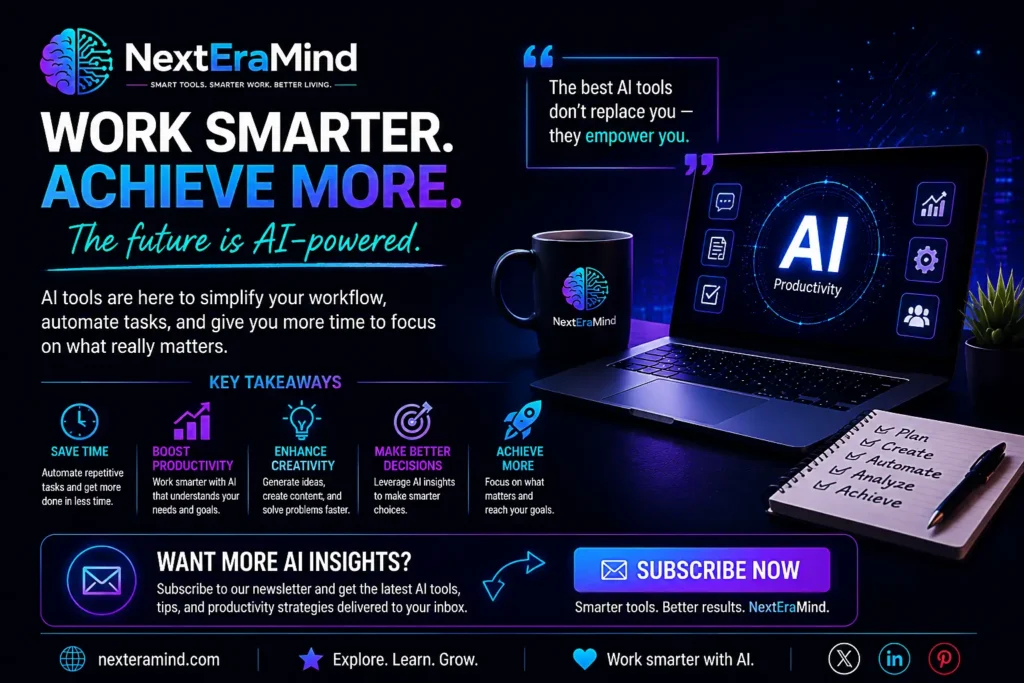
The best AI productivity tools in 2026 are not simply designed to replace tasks. Their real value comes from helping people work more efficiently, think creatively, and focus on meaningful work.
Whether you are a writer, entrepreneur, student, designer, or business professional, AI can become a powerful assistant when used correctly.
The best approach is to start small. Choose one or two tools that solve a real problem, integrate them into your workflow, and gradually build an AI-powered productivity system that works for you.
Frequently Asked Questions
What are the best AI productivity tools in 2026?
Some of the best AI productivity tools include ChatGPT, Notion AI, Grammarly, Zapier AI, Canva AI, Gemini, Claude, and Perplexity AI. The best option depends on whether you need help with writing, organization, automation, research, or creativity.
Are AI productivity tools free?
Many AI productivity tools offer free versions with basic features. However, premium plans usually provide more advanced capabilities, higher usage limits, and additional features.
Can AI productivity tools replace human workers?
AI tools are designed to assist people, not completely replace them. They handle repetitive tasks and provide support, allowing humans to focus on creativity, strategy, and decision-making.
What is the best AI tool for beginners?
ChatGPT is often a good starting point because it can help with many different tasks, including writing, planning, learning, and brainstorming.
How many AI tools should I use?
Using too many tools can create unnecessary complexity. Start with one or two tools that solve your biggest challenges, then expand your AI workflow as needed.