
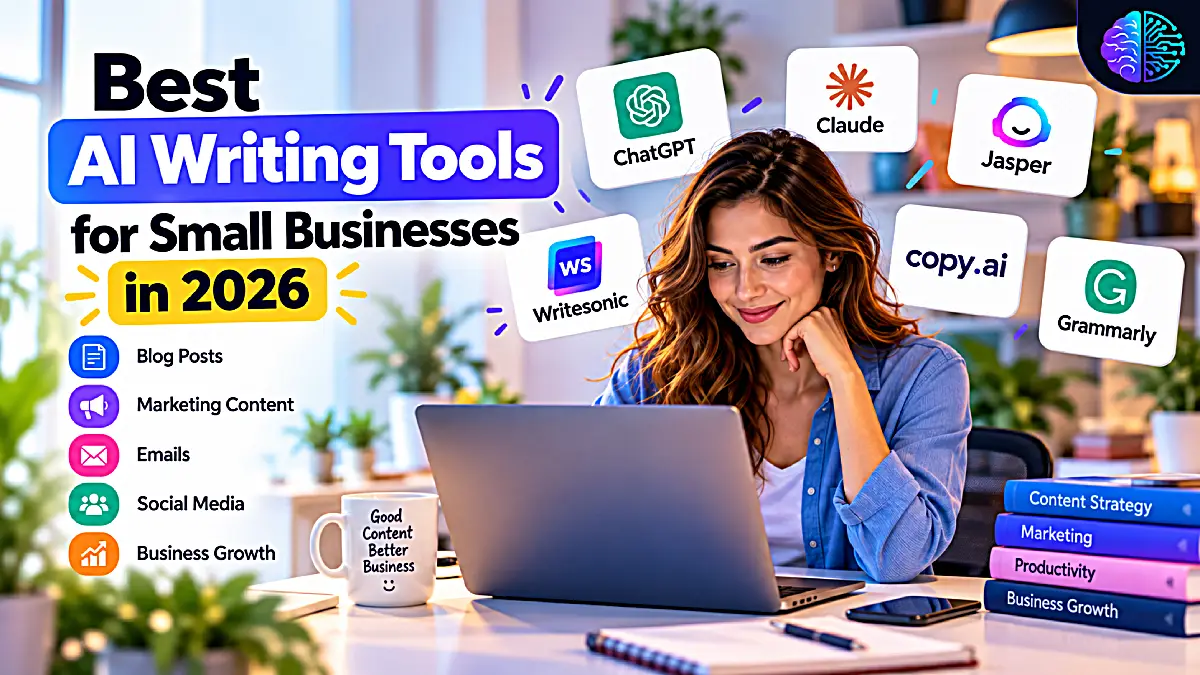
Finding the best AI writing tools for small businesses can help entrepreneurs create marketing content, write blog posts, improve emails, and save valuable time. In 2026, AI writing assistants offer practical ways to simplify content creation, but choosing the right tool depends on your budget, workflow, and business goals.
Hiring a professional copywriter for every task may not be financially practical, particularly for businesses with limited budgets. Yet publishing rushed or inconsistent content can undermine a brand’s credibility and make it harder to attract customers.
AI writing tools offer a practical way to manage some of this workload. They can help small businesses develop ideas, prepare first drafts, refine existing text, and adapt messages for different channels. Used carefully, these tools can make content production more efficient without requiring a dedicated marketing team.
The challenge is choosing the right platform. Some AI tools are designed for general business writing, while others focus on marketing campaigns, sales workflows, search engine optimization (SEO), or proofreading.
This guide compares six of the best AI writing tools for small businesses in 2026, highlighting their strengths, limitations, and most suitable use cases.
Quick Comparison: Best AI Writing Tools for Small Businesses
This comparison of the best AI writing tools for small businesses highlights the main features, strengths, and limitations to consider before choosing a solution.

Each platform serves a slightly different purpose. The following comparison provides a starting point for identifying the tools most relevant to your business.
| AI Writing Tool | Best For | Main Strength |
|---|---|---|
| ChatGPT | General business writing | Flexible content creation and brainstorming |
| Claude | Long-form writing and editing | Drafting and refining detailed documents |
| Jasper | Marketing teams | Brand consistency and campaign content |
| Copy.ai | Sales and marketing content | Repeatable marketing and sales workflows |
| Writesonic | SEO-focused content | Search-oriented content creation |
| Grammarly | Proofreading and professional communication | Grammar, clarity, and tone improvements |
The best option depends on how your business produces content. A freelancer writing client proposals may need a straightforward writing assistant, while an online store publishing product descriptions or a company investing in organic search may benefit from more specialized features.
1. ChatGPT: Best All-Round AI Writing Assistant
Official website: ChatGPT
ChatGPT is a versatile choice for small businesses that need help with different types of writing. Rather than relying on separate applications for every task, business owners can use it to brainstorm ideas, draft articles, rewrite website copy, prepare email campaigns, and develop social media content.
Its flexibility makes it particularly useful for entrepreneurs who manage their own marketing.
What can small businesses do with ChatGPT?
- Write website pages, service descriptions, and landing page copy.
- Draft customer emails, business proposals, and follow-up messages.
- Generate social media captions and content calendars.
- Develop blog outlines, article drafts, and FAQ sections.
- Rewrite complicated text in a clearer, more accessible style.
- Brainstorm promotional ideas, headlines, and calls to action.
Consider an online shop preparing to launch a new product. ChatGPT can help the owner draft a product description, an email announcement, and several social media captions using the same product information. Each version can then be adapted to suit its intended audience and platform.
This approach reduces repetitive writing while helping maintain a consistent message across marketing channels.
Pros
- Supports a wide range of business writing tasks.
- Useful for brainstorming, drafting, rewriting, and planning.
- Can adapt content to different audiences and tones.
- Offers a free option, with additional capabilities available through paid plans.
Cons
- Output can sound generic without specific instructions and context.
- Facts, statistics, and product claims need verification.
- Drafts often require editing to reflect the company’s expertise and personality.
Best for: Freelancers, consultants, online sellers, local businesses, and entrepreneurs who need a flexible writing assistant for everyday tasks.
2. Claude: Best for Long-Form Content and Editing
Official website: Claude
Claude is another general-purpose AI assistant worth considering, particularly for businesses that regularly produce detailed articles, reports, and other professional documents.
It can turn rough notes into structured drafts, improve the flow of existing articles, refine proposals, and help make customer-facing communication clearer and more consistent. These capabilities are useful when a document needs more than a quick rewrite.
What can small businesses do with Claude?
- Turn notes into structured blog posts and business articles.
- Improve the organization and readability of existing drafts.
- Draft professional proposals, reports, and client communications.
- Adapt website content to a particular audience.
- Summarize business documents and identify useful points for content development.
For example, a consultant with several pages of notes about a service could use Claude to organize the material into an article with clear headings, relevant examples, and a logical progression of ideas. The consultant would still need to check the facts and add original expertise before publishing.
Pros
- Useful for developing and refining longer documents.
- Can help improve structure, clarity, and tone.
- Supports a range of professional writing tasks.
Cons
- It is a general-purpose assistant rather than a dedicated marketing workflow platform.
- Content may require substantial fact-checking and customization.
- Usage limits and available features depend on the plan.
Best for: Consultants, service providers, agencies, and small businesses that frequently prepare detailed articles, reports, proposals, or educational content.
3. Jasper: Best for Consistent Marketing Content
Official website: Jasper
Businesses that publish across several marketing channels need more than well-written individual pieces. Their websites, advertisements, email campaigns, and social media posts should communicate a consistent identity and value proposition.
Jasper focuses on marketing content creation, making it worth considering for businesses that publish frequently and need to maintain a recognizable brand voice.
What can small businesses do with Jasper?
- Develop marketing copy for products and services.
- Create campaign concepts and promotional messaging.
- Generate alternative headlines, advertisements, and calls to action.
- Adapt messaging for different marketing channels.
- Support repeatable content workflows for marketing teams.
A skincare brand launching a new product, for instance, could establish a central campaign message and adapt it into website copy, promotional emails, and social media posts. Each version would then be reviewed to ensure that the product details, claims, and tone remain consistent.
Pros
- Focuses on marketing-oriented content creation.
- Can help maintain consistent brand messaging.
- Supports repeatable campaigns and team workflows.
Cons
- Its capabilities may exceed the needs of a solo business.
- A paid subscription may be difficult to justify for occasional writing.
- Human review is still necessary to ensure accuracy and originality.
Best for: Small marketing teams, growing brands, and businesses that regularly run coordinated campaigns.
4. Copy.ai: Best for Sales and Marketing Workflows
Official website: Copy.ai
Copy.ai is worth evaluating if your business produces large amounts of sales and marketing content or relies on repeatable go-to-market processes.
Instead of treating every writing task as a separate request, businesses can use structured workflows to support recurring activities such as outreach, campaign development, and product messaging.

What can small businesses do with Copy.ai?
- Draft sales outreach emails and follow-up messages.
- Generate alternative marketing headlines and promotional copy.
- Develop messaging for products and services.
- Create variations of campaign content.
- Support repeatable sales and marketing processes.
A small B2B service provider, for example, could establish a framework for introducing its services to different customer segments. The initial message could then be adapted to address each prospect’s specific needs before being sent.
Personalization remains important. Generic outreach can feel automated, particularly when messages do not reflect the recipient’s circumstances or priorities.
Pros
- Useful for sales-focused and marketing-oriented content.
- Can support structured, repeatable workflows.
- Helps generate alternative messages and campaign variations.
Cons
- Advanced workflow capabilities may be unnecessary for very small businesses.
- Content needs personalization to avoid repetitive messaging.
- Suitability depends on the features and plan available.
Best for: B2B service providers, sales teams, marketing agencies, and businesses with recurring outreach or campaign requirements.
5. Writesonic: Best for SEO-Focused Content
Official website: Writesonic
Businesses that depend on organic search traffic need content that does more than read well. Their articles and website pages must address relevant customer questions, match search intent, and provide information that readers find useful.
Writesonic is worth considering when search-focused content is a central part of your marketing strategy. Its offering includes AI content creation and SEO-related capabilities, although the precise tools available depend on the current plan.

What can small businesses do with Writesonic?
- Develop blog article outlines and first drafts.
- Create content around relevant customer questions.
- Prepare website and landing page copy.
- Support keyword-informed content planning.
- Organize a regular content publishing workflow.
A small accounting firm, for example, could use an AI writing assistant to outline articles about bookkeeping, cash flow management, and tax preparation. An accountant would then review the drafts to ensure that the advice is accurate and appropriate for the intended audience.
This combines the efficiency of AI-assisted drafting with the professional knowledge needed to produce trustworthy business content.
Pros
- Useful for businesses investing in content marketing.
- Supports SEO-oriented article development.
- Can streamline parts of the research and drafting process.
Cons
- SEO features do not guarantee higher Google rankings.
- Content can lack original insights if it relies entirely on generic information.
- Available search-related features and usage limits may vary by plan.
Best for: Small businesses with blogs, niche websites, online stores, and service pages designed to attract organic search traffic.
6. Grammarly: Best for Proofreading and Professional Communication
Official website: Grammarly
Writing a first draft is only part of the process. Before sending a proposal, publishing a website page, or responding to a customer, businesses need to ensure that their communication is clear, accurate, and appropriate for its audience.
Grammarly helps with this editing stage through suggestions for grammar, spelling, clarity, and tone. Its business offering also includes AI writing capabilities and features intended to support consistent communication across teams.
Businesses can explore the available features on the official Grammarly for Business page.

What can small businesses do with Grammarly?
- Correct grammar, spelling, and punctuation errors.
- Improve sentence clarity and readability.
- Adjust the tone of professional emails.
- Refine website content and customer communication.
- Help teams follow shared writing guidelines.
A freelancer could draft a client proposal with ChatGPT or Claude, then use Grammarly to identify grammatical mistakes, awkward sentences, and unclear wording before sending it.
This makes Grammarly a useful complement to a drafting tool, particularly when professional communication is a regular part of the work.
Pros
- Useful for reviewing and refining existing drafts.
- Helps improve clarity and professional tone.
- Can support consistent communication across a team.
- Complements general-purpose AI writing assistants.
Cons
- Editing capabilities alone may not meet the needs of businesses requiring extensive content planning.
- Suggestions can sometimes remove distinctive phrasing or personality.
- Some features require a paid plan.
Best for: Freelancers, agencies, consultants, and small teams that regularly send emails, prepare proposals, or publish customer-facing content.
Which AI Writing Tool Is Best for Your Business?
The most suitable tool is not necessarily the one with the longest feature list. It is the one that addresses your recurring writing needs without adding unnecessary costs or complexity.
Use the following comparison to narrow your options.
| Your Main Need | Recommended Tool | Why |
|---|---|---|
| Everyday writing and brainstorming | ChatGPT | Supports many content formats |
| Long articles and document editing | Claude | Helps structure and refine detailed drafts |
| Consistent marketing campaigns | Jasper | Focuses on brand-led marketing content |
| Sales outreach and repeatable workflows | Copy.ai | Supports sales and marketing processes |
| SEO-focused blog content | Writesonic | Offers content creation with SEO-related capabilities |
| Proofreading and tone improvement | Grammarly | Helps polish text before publication or delivery |
These recommendations reflect the tools’ general areas of focus, not a claim that one platform outperforms all competitors in every situation.
Free vs. Paid AI Writing Tools: What Should Small Businesses Choose?
For a new business, subscribing to several AI platforms at once is rarely necessary. A more practical approach is to start with one tool that addresses your main writing challenge, test it on real tasks, and upgrade only when you encounter a clear limitation.
When a free tool is enough
A free option may be sufficient if you:
- Write a few emails or social media posts each week.
- Publish blog articles occasionally.
- Need help brainstorming or improving existing drafts.
- Are still experimenting with AI in your workflow.
Check the current free-plan limits before committing to a tool. Usage allowances and available features can change over time.
When a paid tool makes sense
A subscription may be worthwhile if you:
- Publish content frequently across several channels.
- Need advanced features or higher usage limits.
- Manage multiple contributors and require consistent brand messaging.
- Regularly produce SEO content or coordinated marketing campaigns.
- Save enough working time to justify the subscription cost.
Calculate the value before upgrading
Suppose an AI writing tool saves you three hours per month, and you value your working time at $25 per hour. That represents $75 in potential time savings.
If the subscription costs $30 per month, the potential net value is $45 before accounting for setup, editing, and other costs.
These figures are illustrative rather than a prediction of actual savings. The most reliable way to assess a subscription is to track how much time it saves on your own tasks and compare that benefit with its total cost.
How to Use AI Writing Tools Without Making Your Content Sound Generic
AI-generated writing can be grammatically correct yet still feel impersonal. It may repeat familiar ideas, rely on vague statements, or overlook details that matter to your customers.
The difference between a generic draft and useful business content often comes down to the instructions provided and the quality of the editing that follows.
1. Give the tool real business context
Explain what your business does, who your customers are, which problems you solve, and what distinguishes your offering from competitors.
Specific instructions generally provide a more useful starting point than a request such as “Write a blog post about marketing.” Include the intended audience, purpose, key points, preferred tone, and desired format.
2. Provide examples of your brand voice
Share examples of previous emails, website copy, or social media posts that reflect your preferred style.
Explain whether your brand should sound friendly, authoritative, technical, conversational, or formal. Review the output afterward to ensure that the language still feels appropriate for your business.
3. Add original knowledge and experience
Your business has information that a general-purpose AI model may not possess, including customer questions, practical experience, product details, service limitations, and lessons learned from real projects.
Incorporate that knowledge into your content. These details make the writing more specific and useful than a draft built entirely around general information.
4. Verify factual claims
Check statistics, product specifications, legal statements, prices, and other information that could affect business decisions.
AI-generated content can contain inaccuracies even when it sounds convincing. Verification is particularly important when writing about regulated industries, technical products, financial matters, or professional services.
5. Edit for clarity and usefulness
Remove repeated explanations, vague promises, unnecessary introductions, and unsupported claims.
Make sure each section serves a clear purpose: explaining a concept, answering a customer question, comparing options, or helping the reader make a decision. The aim is not simply to make the text sound natural but to make it genuinely useful.
6. Review privacy and confidentiality
Avoid entering sensitive customer information, private contracts, confidential financial data, or other restricted business information into AI services without checking the provider’s data policies and your organization’s requirements.
A clear internal policy can help employees use AI writing tools responsibly while protecting business and customer information.
A Simple AI Writing Workflow for Small Businesses
To get the most from the best AI writing tools for small businesses, use AI to create first drafts and outlines, then review the content for accuracy, originality, and brand voice.

An effective writing process does not require six subscriptions. Start with a small set of tools and add specialized capabilities only when they solve a recurring problem.
Step 1: Plan the content. Identify the audience, purpose, key message, and desired outcome before drafting.
Step 2: Create a first draft. Use a general-purpose assistant such as ChatGPT or Claude to develop an outline or initial version.
Step 3: Add business-specific details. Incorporate relevant expertise, customer insights, examples, and product information.
Step 4: Optimize for the intended channel. For search-focused articles, review search intent, headings, keyword relevance, and internal links. For email campaigns, focus on clarity and the intended action. For social media, adapt the message to the platform and audience.
Step 5: Edit and verify. Use Grammarly or another editing method to improve readability, correct mistakes, and check factual claims.
Step 6: Publish and measure. Evaluate performance using relevant metrics, such as engagement, qualified inquiries, email responses, or organic search traffic.
This workflow keeps human judgment at the center while allowing AI to handle repetitive drafting and editing tasks.
Frequently Asked Questions
What is the best AI writing tool for small businesses?
ChatGPT is a strong starting point for businesses that need a flexible assistant for emails, social media, website copy, and brainstorming. Jasper may be more suitable for marketing teams, Writesonic for SEO-oriented content, and Grammarly for editing. The best choice depends on your workload, budget, and objectives.
Are there free AI writing tools for small businesses?
Yes. Some platforms offer free access or limited free plans. ChatGPT, Claude, and other writing platforms may allow users to try selected capabilities without a paid subscription. Features and usage limits vary, so check the official websites for current details.
Can AI writing tools replace a professional copywriter?
AI can assist with brainstorming, first drafts, rewriting, and repetitive content tasks. It does not automatically replace strategic thinking, original research, customer understanding, or professional judgment. Many businesses benefit from combining AI-assisted drafting with human editing and subject-matter expertise.
Are AI-generated articles good for SEO?
AI-generated articles can contribute to an SEO strategy when they provide accurate, original, useful information that satisfies the reader’s needs. Producing large volumes of generic content does not guarantee higher rankings. Research, editorial review, and genuine expertise remain important.
How many AI writing tools does a small business need?
Most small businesses can begin with one general-purpose writing assistant. A dedicated editing, marketing, or SEO tool may be worth adding when it solves a recurring problem that the existing tool cannot handle efficiently.
How can a business choose the right AI writing tool?
Start by identifying your three most frequent writing tasks. Compare platforms based on their suitability for those tasks, ease of use, available features, usage limits, privacy policies, and total cost. Test shortlisted tools with real business examples before purchasing a subscription.
Final Verdict: Choosing the Best AI Writing Tools for Small Businesses
The best AI writing tools for small businesses can help reduce repetitive writing work and improve the consistency of business communication. Their value depends on how well they fit your workflow, not simply on the number of features they offer.
For many entrepreneurs, ChatGPT is a practical starting point because it supports a broad range of writing tasks. Claude is worth considering for long-form drafting and editing, Jasper for marketing campaigns, Copy.ai for sales and marketing workflows, Writesonic for SEO-focused content, and Grammarly for polishing professional communication.
You do not need every platform. Start with the writing task that consumes the most time, test a suitable tool, and measure the results before investing in additional subscriptions.
AI is most useful when it supports sound editorial judgment rather than replacing it. Your business knowledge, experience, and understanding of your customers remain essential to producing content that is accurate, distinctive, and worth reading.
Explore more practical guides and tool comparisons in our AI Tools section to discover how AI can support business writing, digital productivity, and smarter workflows.